

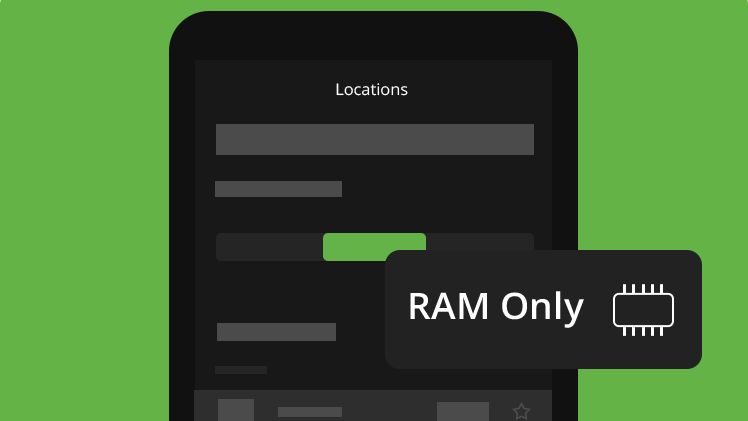
IPVanish has completed the rollout of a dedicated RAM-only server filter across all of its apps, giving users on iOS, Android, macOS, Windows, Amazon Fire TV, Apple TV, and Android TV a straightforward way to identify and connect to its most privacy-focused servers.
The feature has been in a gradual rollout since September 2025, but as of this week the unified filter is live everywhere. Users can now browse IPVanish’s server network by country, region, and city, with RAM-only locations clearly flagged, making it easier to prioritize privacy without digging through settings.
Why are RAM-only servers important?
RAM-only servers have become increasingly standard across the VPN industry, and for good reason. Unlike traditional servers that rely on hard drives, RAM-only servers run entirely in volatile memory (temporary storage that clears when power is lost), meaning all data is wiped automatically every time a server reboots or loses power. Because nothing is written to a physical disk, there’s no persistent storage for third parties to access in the event of a server seizure.
The privacy case is straightforward: if there’s nothing stored, there’s nothing to hand over. It’s a compelling argument, and one that’s driven much of the industry’s shift toward RAM-only servers in recent years. VPNs like ExpressVPN, NordVPN, and Surfshark have all transitioned to entirely RAM-only server networks.
That said, the privacy benefits aren’t universally agreed upon. Proton VPN, for instance, has argued publicly that full-disk encryption on traditional hard drives, which scrambles all data stored on a drive, can achieve the same end result, pointing out that if a server is running, RAM is just as accessible as any encrypted disk would be. For Proton, what really matters is a strict no-logs policy, regular independent audits, and server locations in privacy-friendly countries.
It’s a legitimate counterpoint, and worth bearing in mind, though for users who want the added peace of mind that no data can physically persist on a server, RAM-only remains the preferred option.
How to filter RAM-only servers in IPVanish’s apps?
Image 1 of 2
(Image credit: Future)
On the desktop apps, the RAM-only filter is a clickable button.
(Image credit: Future)
On the mobile apps, a dropdown can be found in the “Locations” tab.
Accessing the filter is straightforward. On mobile, head to the server selection screen and look for the “RAM Only” toggle in the top-right corner of the locations list: tap it to filter the server list down to RAM-only locations only. On desktop, the same functionality is available via a “RAM only Server” button, also found in the server selection screen above the locations list.
From there, you can browse available RAM-only servers by country, region, and city as normal, with load percentages and server counts displayed alongside each location to help you pick the best connection.
We test and review VPN services in the context of legal recreational uses. For example: 1. Accessing a service from another country (subject to the terms and conditions of that service). 2. Protecting your online security and strengthening your online privacy when abroad. We do not support or condone the illegal or malicious use of VPN services. Consuming pirated content that is paid-for is neither endorsed nor approved by Future Publishing.
